AML Management for Dynamics 365
Most AML software acts as a simple "check" tool. Send a name, and it tells you if they are on a list. This leaves the hard work of investigating, documenting decisions, and keeping files up to date to you and your team, often using spreadsheets or manual folders.
Our AML Rapid Start builds the entire compliance process directly into your Microsoft Dynamics 365 Power Platform. It turns compliance from a manual task into an automated workflow that guides your team from the first check to the final approval.
Key Features for Compliance Officers
1. Guided Step-by-Step Processes
The system uses a visual bar at the top of the record to walk staff through your specific AML checks. This ensures that no one misses a step and every client is onboarded according to your exact rules.

2. Automatic "Change Alerts"
You no longer need to wait for a periodic review to find out a client has changed.
- New Shareholders: If a new owner is added to a record, the system automatically triggers a fresh AML review.
- New Directors: When company officers change in the system, it alerts the compliance team immediately.
- Registry Sync: Pull in data from official company offices automatically to keep your records accurate without manual typing.
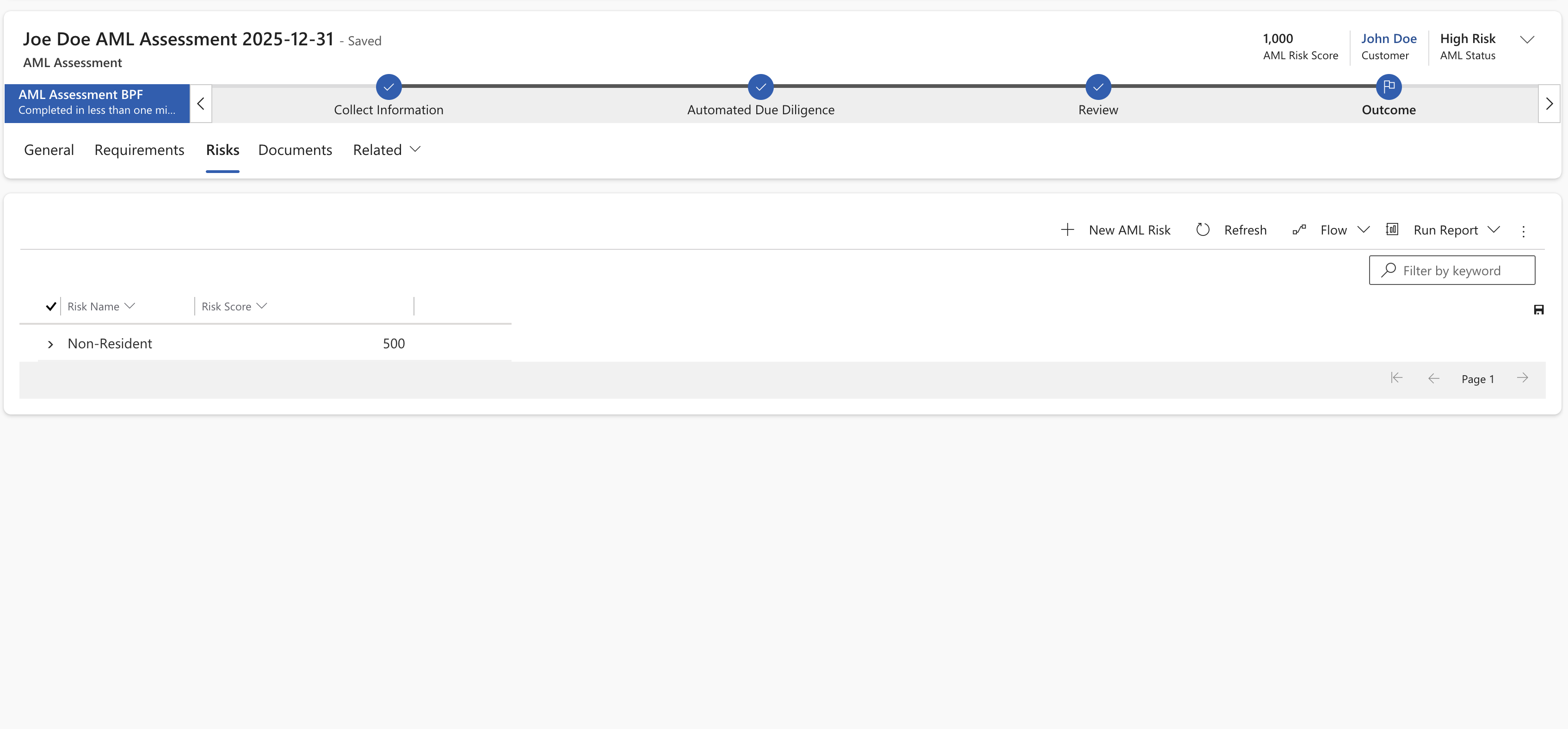
3. Custom Risk Scoring
Every firm has a different risk appetite. We don't force a "one-size-fits-all" score on you.
- Build Your Own Math: You decide how much weight to give to a client's country, industry, or service type.
- Automatic Categorization: The system calculates the score and tells the user if they need to do Simple, Standard, or Enhanced Due Diligence (EDD).
4. Document Storage
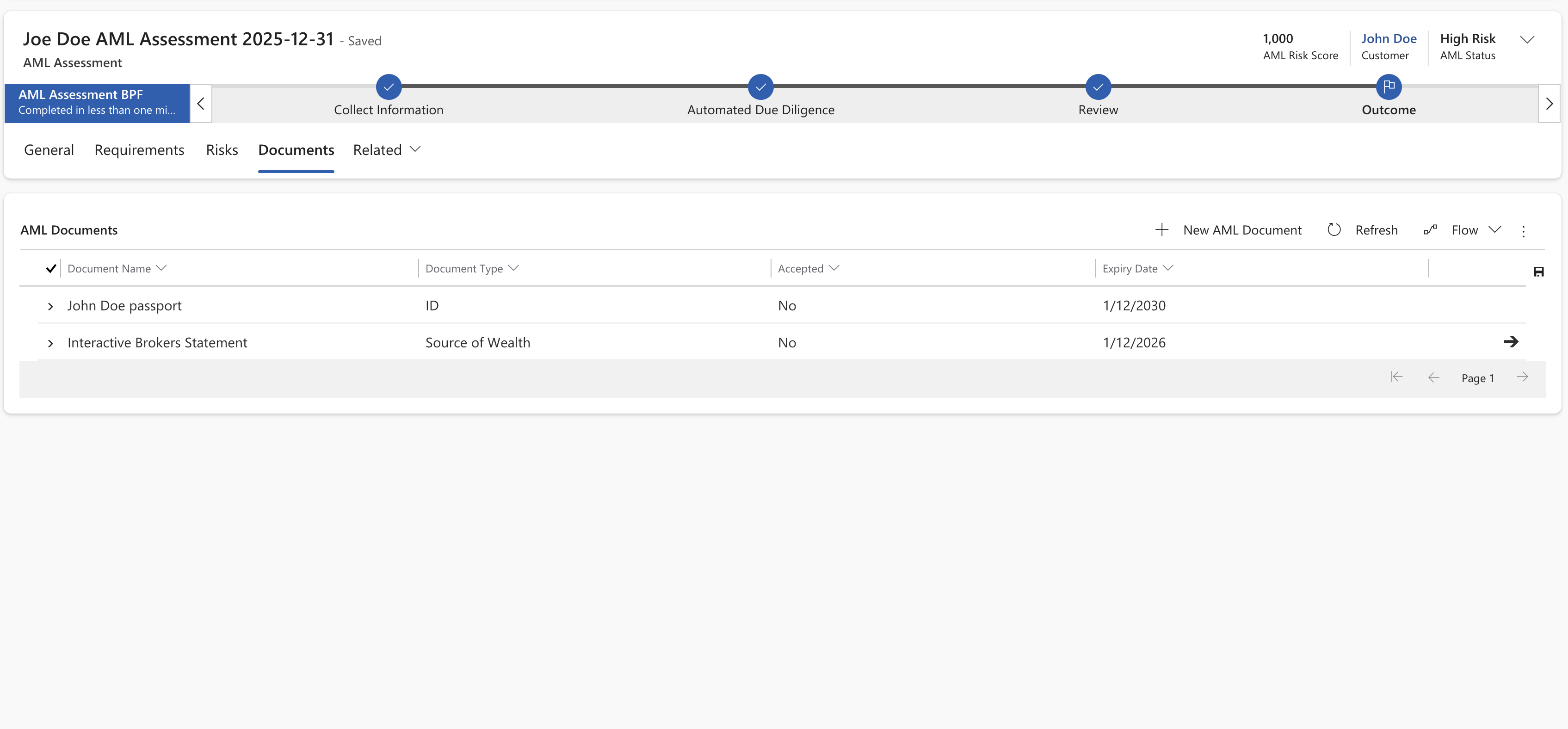
You don’t have to store large files in Dataverse. We offer a hybrid approach to save on storage costs while maintaining security:
- SharePoint Integration: Automatically creates a secured folder for every AML review. This keeps files organized and accessible to authorized staff without a CRM license.
- External DMS Links: If you use a dedicated Document Management System, the platform stores "deep links" directly to the source files.
- Cost Management: Use Azure Blob Storage for high-volume document archives to keep your primary database lean and fast.
5. Automated Requirements & Evidence Collection
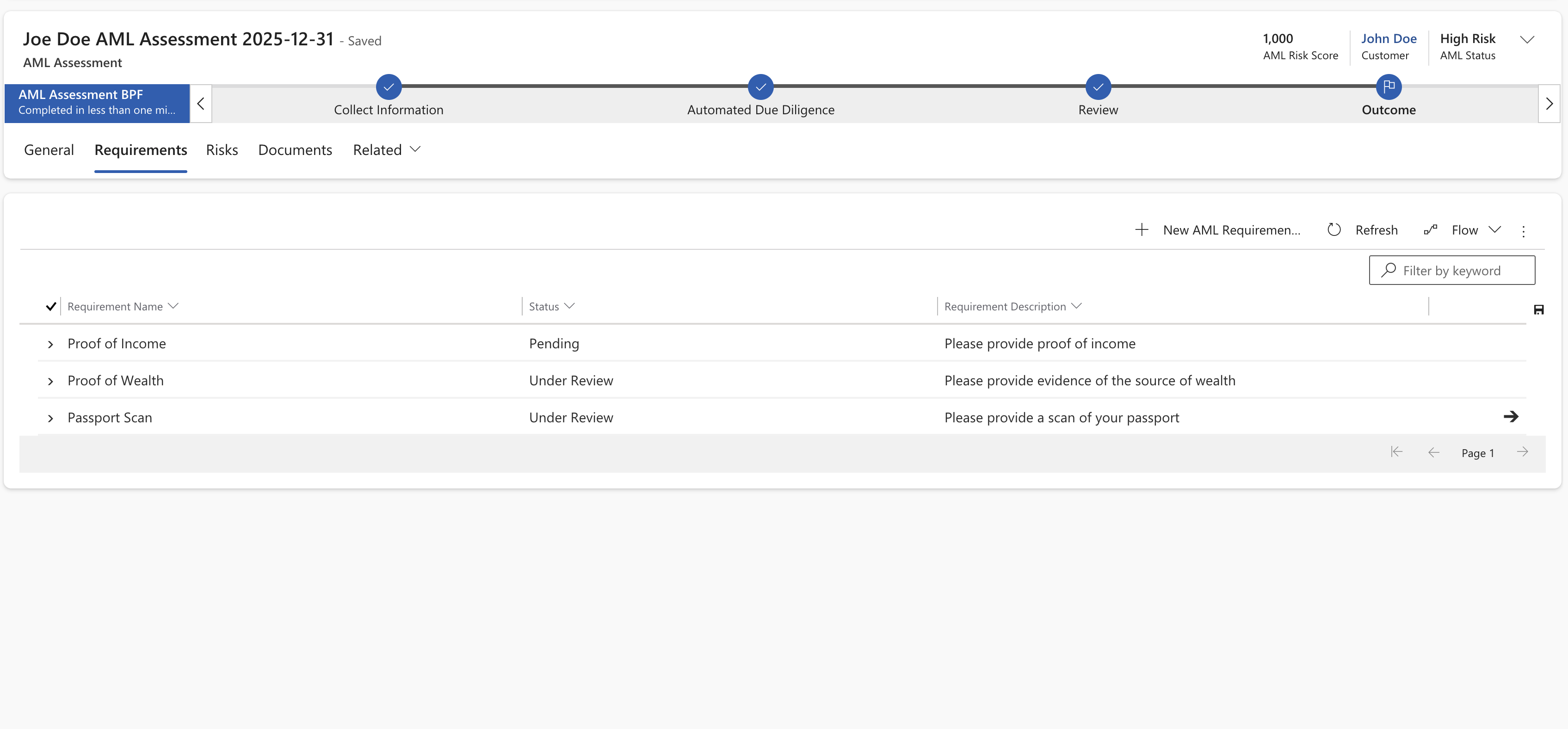
Compliance gaps usually happen when users forget a document or skip a step. Our solution enforces your policy by making mandatory evidence a "hard gate" before an assessment can be finalized.
Guardrails for Data Integrity
- Enforced Checklist: Users cannot close a file or move to the next stage until every required document—based on the specific risk score—is uploaded and verified.
- Smart Requirements: The list of required evidence changes dynamically. If a client is flagged as "High Risk," the system automatically adds Enhanced Due Diligence (EDD) requirements to the user's task list.
- One-Click Client Requests: Stop wasting time drafting manual emails. With one click, the system generates a branded email to the client listing exactly what is missing, pulling the data directly from the outstanding checklist items.
- Multi-Step Approvals: Automatically send high-risk files to a manager for a second review, ensuring two people check the work before it is approved.
6. Change tracking and auditing
Dynamics 365 has built in change tracking, so that you can see who made changes and when.
7. A Foundation for Infinite Customization
The biggest risk with specialized AML software is outgrowing it. Most "black box" platforms force you to change your operations to fit their code. Because our solution is built natively on Dynamics 365 and the Power Platform, you own the logic, and the customization options are limitless.
Our AML Rapid Start provides the essential architecture, but it is designed to be extended as your firm grows or as regulations shift.
Do More With Less
We don't just provide a tool, we provide a way to scale. By automating the repetitive "busy work" of data entry and document chasing, your compliance officers can stop acting like administrators and start acting like investigators. You get a solution that fits your business exactly, built on the enterprise-grade infrastructure you already trust.
Comparison: Traditional Tools vs. Integrated Workflow
| Feature | Traditional "Check" Tools | Our Integrated AML Solution |
|---|---|---|
| Data Checks | PeP and Sanction validation only. | Full PeP/Sanction checks + company registry data. |
| Process Control | You manage the "next steps" manually. | Visual guide tells staff exactly what to do next. |
| Risk Scoring | Usually a static "High/Low" from the vendor. | You define the formula based on your policy. |
| Audit Trail | Spreadsheets or disconnected PDFs. | Any record change is logged automatically. |
| Maintenance | You manually check for client changes. | System alerts you if a shareholder or director changes. |
Deployment and Security
Because this is built on the Microsoft Power Platform, your data never leaves your secure environment. We install this as a "ready-to-go" foundation and then calibrate the rules and scores to match your specific compliance manual.